
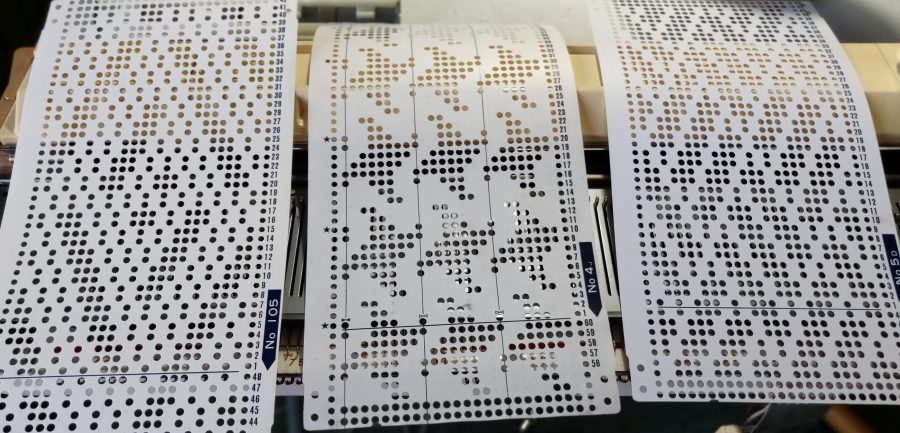
This is something I used to struggle with when first starting to machine knit, and to be honest, it still sometimes needs a bit of thinking before I get it right.
So I put some information together which I hope will be useful to others who find the holes and blanks a bit confusing. It also has some helpful ways to read what is actually being read by the card-reader, rather than what is visible above it.
Lets start with the fundamentals:
Knitmaster/Silver Reed (KM/SR) machines only knit pattern from the punchcard when the side levers are at the triangle and the pattern cam dial is set to the relevant stitch type; F, S, T etc.
Brother machines only knit pattern from the punchcard when the KC dial is set to KC, KCI or KCII, as appropriate to the machine, and when the relevant pattern cam buttons are pressed, MC, tuck, part etc…
However, on both makes the needle positions are the same
| Pattern cam setting | Punched holes | Needle position | Blanks | Needle position |
| 2-col-in-a-row | knit with 2nd colour | UWP | knit with MC | WP |
| tuck | knit | UWP | tuck | WP |
| slip/part | knit | UWP | slip | WP |
On both Brother and KM/SR machines, the punchard line being selected is hidden inside the machine. Seven lines below on a Brother, and five below on a KM/SR.
Brother machines, both punchcard and electronic, pre-select needles before knitting the row. Therefore, the pattern can be interrogated by looking at the needle selection in conjunction with the needle positions listed above.
KM/SR punchcard machines have a card reader with feelers. These are selected according to the punchcard pattern but the actual feeler action is hidden behind the carriage. The pattern line can be manually interrogated by locking the punchcard.
| KM/SR feelers | punched move up and in | blanks stay down and out |
Download a printable version here.
To read more about how a punchcards, read my post ‘Knitting Machine Punchcards, How do They Work?’
 Vikki Haffenden